Z-index
Z-indexing
is what we use to have content on top of each other using position absolute. So
first we need to set up a div and set it with a position absolute so to do this
type the following
<div id="box">my
box</div>
<div id="box2">my above box</div>
and add the following CSS
#box
{
width: 200px;
height: 200px;
background-color: red;
position: absolute;
z-index: 0;
}
#box2
{
width: 80px;
height: 80px;
position: absolute;
z-index: 1;
background-color: blue;
}
Now if you
notice you will see that the second box is on top of the first box and this is
done by setting the position to absolute so we can use the z-index position.
The z axis is the depth so the lower the z-index the further back the object
will be and the higher the value the more in front the object will be.
3 Column Page Layout
Now we come to one of the most
common CSS web tutorials the 3 column page layout, this tutorial requires a doc
type to centre it. so click here to download the images that you will require, and start by typing the following
HTML
<div id="wrapper">
<div id="title"></div>
<div style="width: 900px; border-bottom: 1px solid
#dadada"></div>>
</div>
</div>
and add the following CSS
body
{
margin: 0px;
background-color: #e9e9e9;
}
#wrapper
{
margin-left: auto;
margin-right: auto;
width: 900px;
margin-top: 20px;
}
#title
{
background-image: url('title.png');
height: 80px;
width: 400px;
}
and you should have something like
this
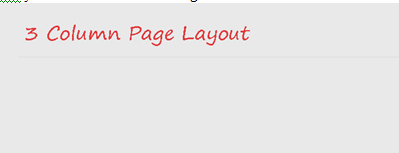
now lets add the 3 columns for our
content so type the following HTML just before you end the wrapper tag
<div id="main">
<div id="navigation">
<ul>
<li>Link</li>
<li>Link</li>
<li>Link</li>
<li>Link</li>
<li>Link</li>
<li>Link</li>
</div>
<div id="content">
</div>
<div id="other">
<img class="otherimage" src="plant1.jpg"
alt="plant1" width="100" height="100" />
<img class="otherimage" src="plant2.jpg"
alt="plant2" width="100" height="100" />
<img class="otherimage" src="plant3.jpg"
alt="plant3" width="100" height="100" />
</div>
</div>
now just ad some filler text in the
content tag and add the following CSS
#main
{
width: 880px;
padding: 10px;
}
#navigation
{
float: left;
width: 70px;
}
ul, li
{
margin: 0px;
padding: 0px;
list-style-type: none;
}
li
{
font-family: arial;
font-size: 15pt;
color: #837575;
margin-bottom: 20px;
}
#content
{
color: #6f6f6f;
float: left;
width: 670px;
}
#other
{
float: left;
width: 100px;
height: 100px;
margin-left: 20px;
}
.otherimage
{
margin-bottom: 10px;
}
now that's
all there is to it.
